Apple Wallet makes it easy to store and access your membership cards, improving efficiency for businesses and customers alike.
Whether you run a tennis club, swim school, gym, or any other membership-based organization, offering digital membership cards adds convenience and professionalism.
This guide shows members how to add a membership card to Apple Wallet. It also shows gym, tennis club, swim school, and studio owners how to send one to every member automatically.
Using an Android phone? Here’s how to add a membership card to your Google Wallet instead.
Key Takeaways:
- Adding a membership card to Apple Wallet takes a few taps from an email, a QR code, or an app.
- Once it's added, the card opens from the Wallet app or with a double-click of the side button. No login or email search is needed.
- Organizations can update a Wallet card after it's sent, so a new expiry date or membership type shows up on the member's phone.
- Activity Messenger creates Apple Wallet membership cards and sends them to members by email or SMS when they buy or renew.
Table of Contents
- Why Members Like Apple Wallet Membership Cards
- How to Add a Membership Card to Apple Wallet
- How Gyms, Clubs, and Studios Can Offer Apple Wallet Membership Cards
- Frequently Asked Questions
- Final Thoughts
Why Members Like Apple Wallet Membership Cards
Apple Wallet is built into every iPhone. It stores boarding passes, event tickets, loyalty cards, and membership cards in one place. For a member, that means:
- 📲 Nothing to carry: the card lives on the phone they already have in hand.
- ⚡ Quick access: a double-click of the side button opens Wallet, even from the lock screen.
- 📧 No email search: no digging for a confirmation invoice at the front desk.
- ⌚ Apple Watch too: cards added on an iPhone can show up on a paired Apple Watch.
- 🔄 Up-to-date details: when the organization changes the membership, the card can update on its own.
- 🌱 Less plastic: no printing, laminating or replacing lost cards.
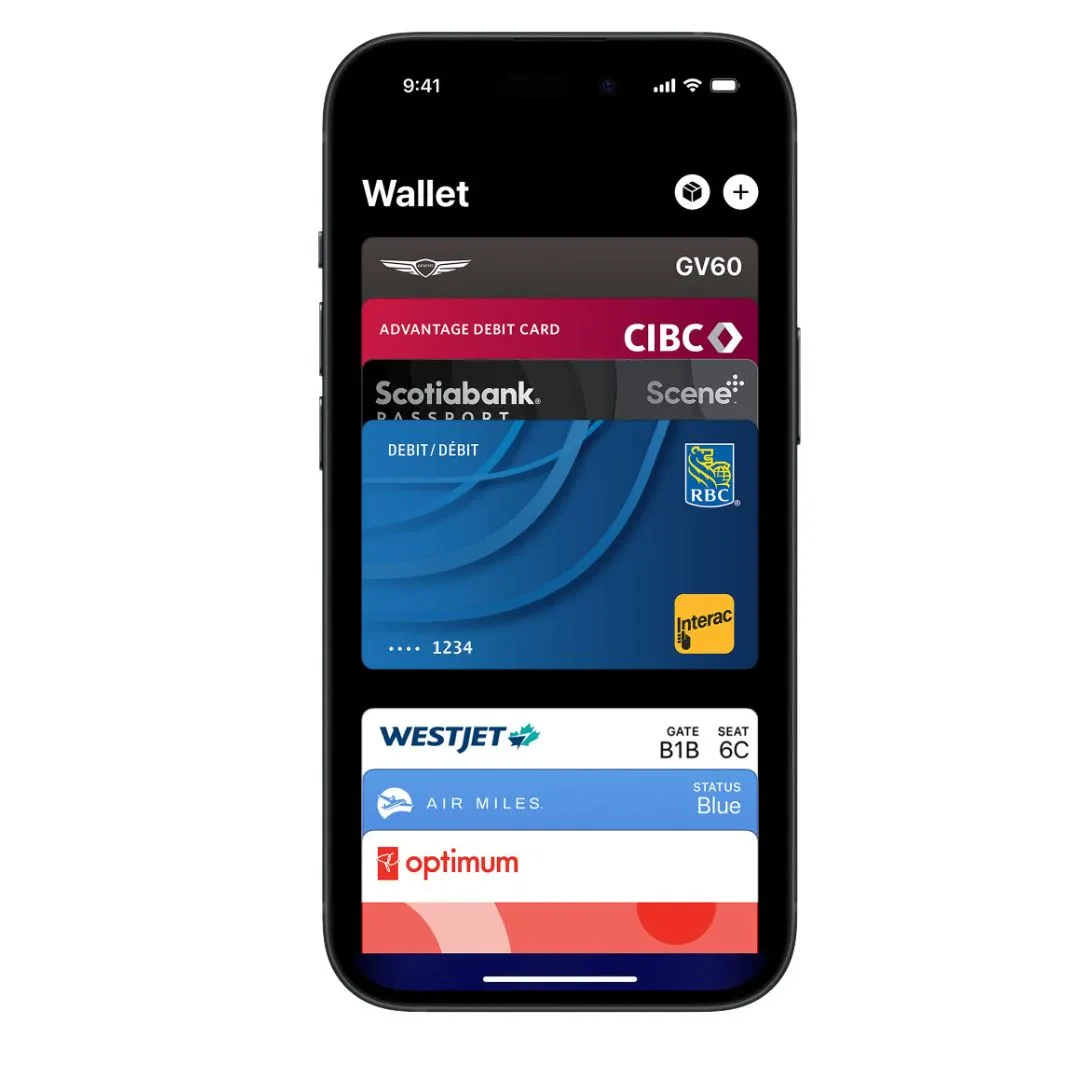
For your front desk, every member who checks in with their phone is one less "Can you look me up?"
How to Add a Membership Card to Apple Wallet
1. Check If Your Membership Provider Supports Apple Wallet
Not every gym or club offers Wallet cards yet. Look for an "Add to Apple Wallet" button in your welcome or renewal email, or ask the front desk.
2. Receive Your Digital Membership Card
Organizations usually send the card one of three ways:
- 📧 Email link: an "Add to Apple Wallet" button in your confirmation or renewal email.
- 📱 QR code: scan it with your iPhone camera at the front desk or from a poster.
- 🧩 App: some organizations let you add the card from their own app.
3. Add the Card to Apple Wallet
Once you have received your digital membership card, follow these steps:
- Open the email, app, or web page where the card is provided.
- Look for the “Add to Apple Wallet” button and tap it.
- A preview of the membership card will appear. Tap “Add” in the top right corner.
- The card will now be saved in your Apple Wallet.
4. Use Your Membership Card at Check-In
To use your digital membership card:
- Open the Apple Wallet app on your iPhone.
- Scroll through your saved passes and tap on your membership card.
- Show the card’s barcode or QR code for scanning.
5. Updating or Removing Your Membership Card
- If your membership details change, your organization may update the card automatically.
- To remove an expired or outdated card, open Apple Wallet, tap on the card, tap the More button (•••), and select Remove Pass.
Running a membership-based organization? Set up membership renewal reminders so members renew before their cards expire.
How Gyms, Clubs, and Studios Can Offer Apple Wallet Membership Cards
Making a Wallet card yourself means designing a pass, signing it with an Apple developer certificate and hosting a service that pushes updates. Most organizations don't have time for that, so they use software that creates the cards for them.
A good setup should:
- ☑️ Create a card for each member automatically when they buy or renew
- ☑️ Send it by email or SMS with an "Add to Apple Wallet" button
- ☑️ Include a QR code your staff or access system can scan
- ☑️ Update the card when a membership is renewed, upgraded, or cancelled
- ☑️ Offer the same card in Google Wallet for Android users
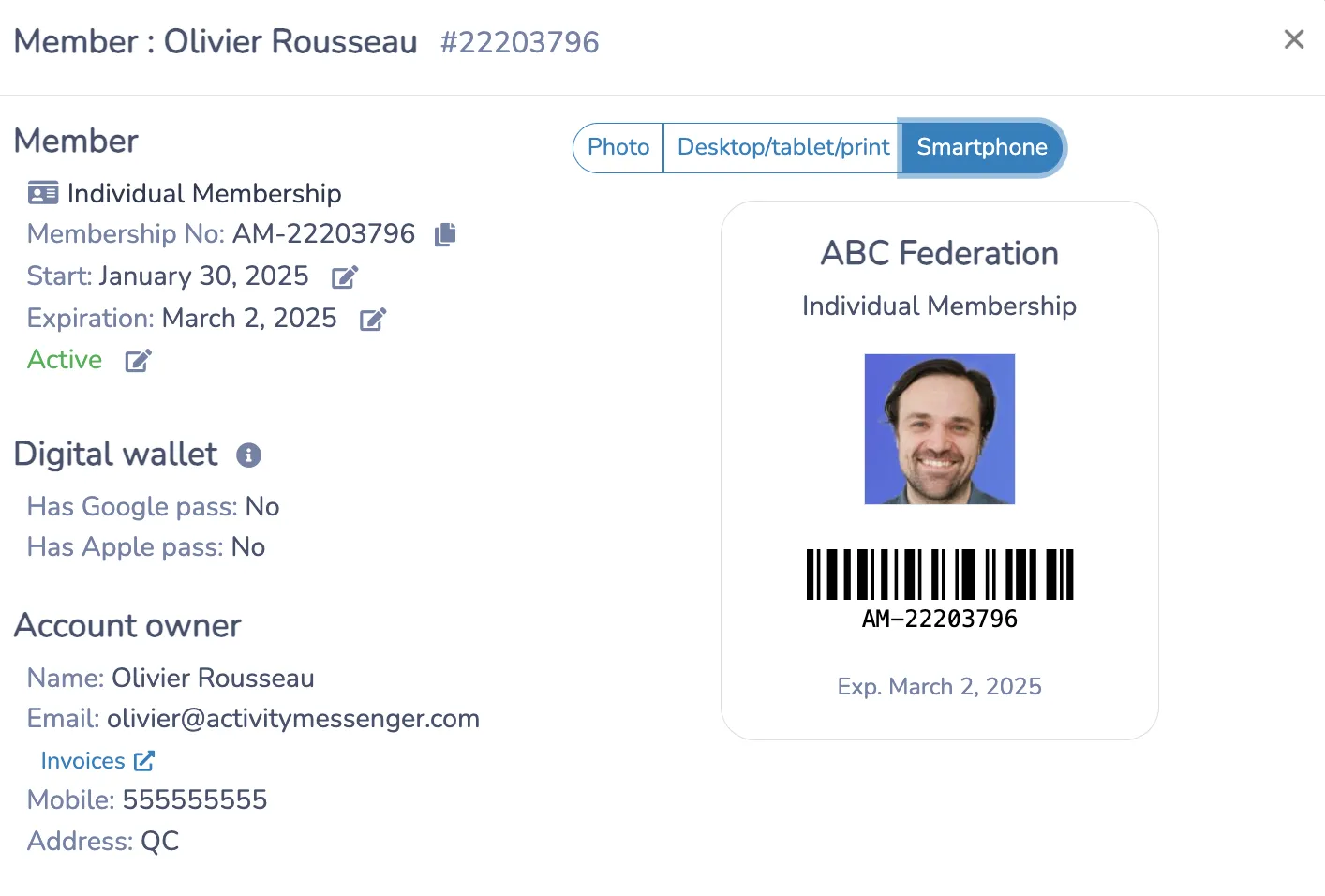
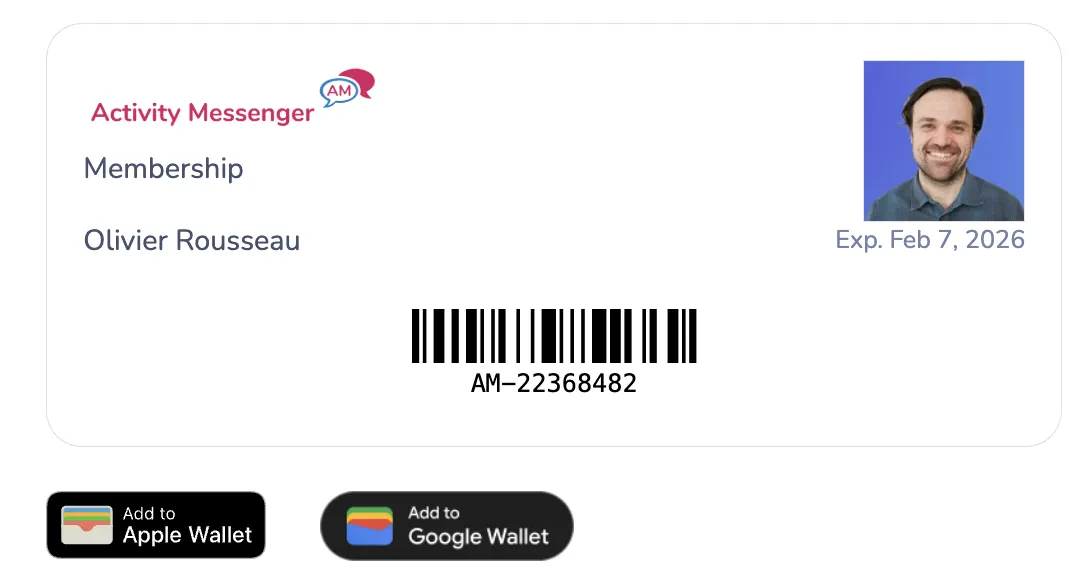
Activity Messenger handles all five. When a member signs up through your membership form, Activity Messenger creates their card with their name, membership type and expiry date and sends it to them right away. When they renew, the card on their phone updates.
If you already run access control with Activity Messenger, members can use the same QR code to get in.
Read More: How to create a membership form with Activity Messenger
Frequently Asked Questions
How do I add a membership card to Apple Wallet?
Open the email, text or web page where your gym or club sent your card, and tap Add to Apple Wallet. A preview of the card appears. Tap Add in the top-right corner, and the card is saved in the Wallet app.
Why don't I see an "Add to Apple Wallet" button?
The most common reasons:
- 💻 You're on a computer. Open the email on your iPhone instead.
- 🔗 The link opened in another app. Copy the link and paste it into Safari.
- 📭 Your organization doesn't offer Wallet cards yet. Ask the front desk whether they have a digital card or a QR code.
- ⌛ The link has expired. Ask your organization to send the card again.
What happens to my card if I get a new iPhone?
If Wallet is turned on in your iCloud settings, your cards move to the new phone when you sign in with the same Apple Account. If one is missing, open the original email and add it again.
Will my membership card update when I renew?
If your organization's software supports pass updates, yes. The new expiry date or membership type appears on the card already in your Wallet, so you don't need to add a new one.
Does my membership card work without internet?
Yes. The card is saved on your iPhone, so it opens and scans at check-in even with no signal. It only needs a connection to receive updates, like a new expiry date.
Can I use my membership card on my Apple Watch?
Yes. If your Apple Watch is paired with your iPhone, cards you add to Wallet can appear in Wallet on your watch. Press the side button twice on the watch to open it at check-in.
Final Thoughts
A membership card in Apple Wallet is the one members are most likely to have with them, because it's on their phone. That makes check-in faster for them and quieter for your front desk.
For owners, the work is in getting a card to every member and keeping it current after renewals. Activity Messenger creates each card from your membership form, sends it by email or SMS, and updates it when the membership changes.
🎟️ Want your members checking in from their phones? Book a free demo, and we'll show you how Activity Messenger creates and sends Apple Wallet and Google Wallet membership cards.