Gymnastics clubs juggle a lot at once: rec classes, preschool programs, competitive teams, open gym, camps, birthday parties, and all the parent emails that come with them. And now nearly every software vendor in the space says it uses AI.
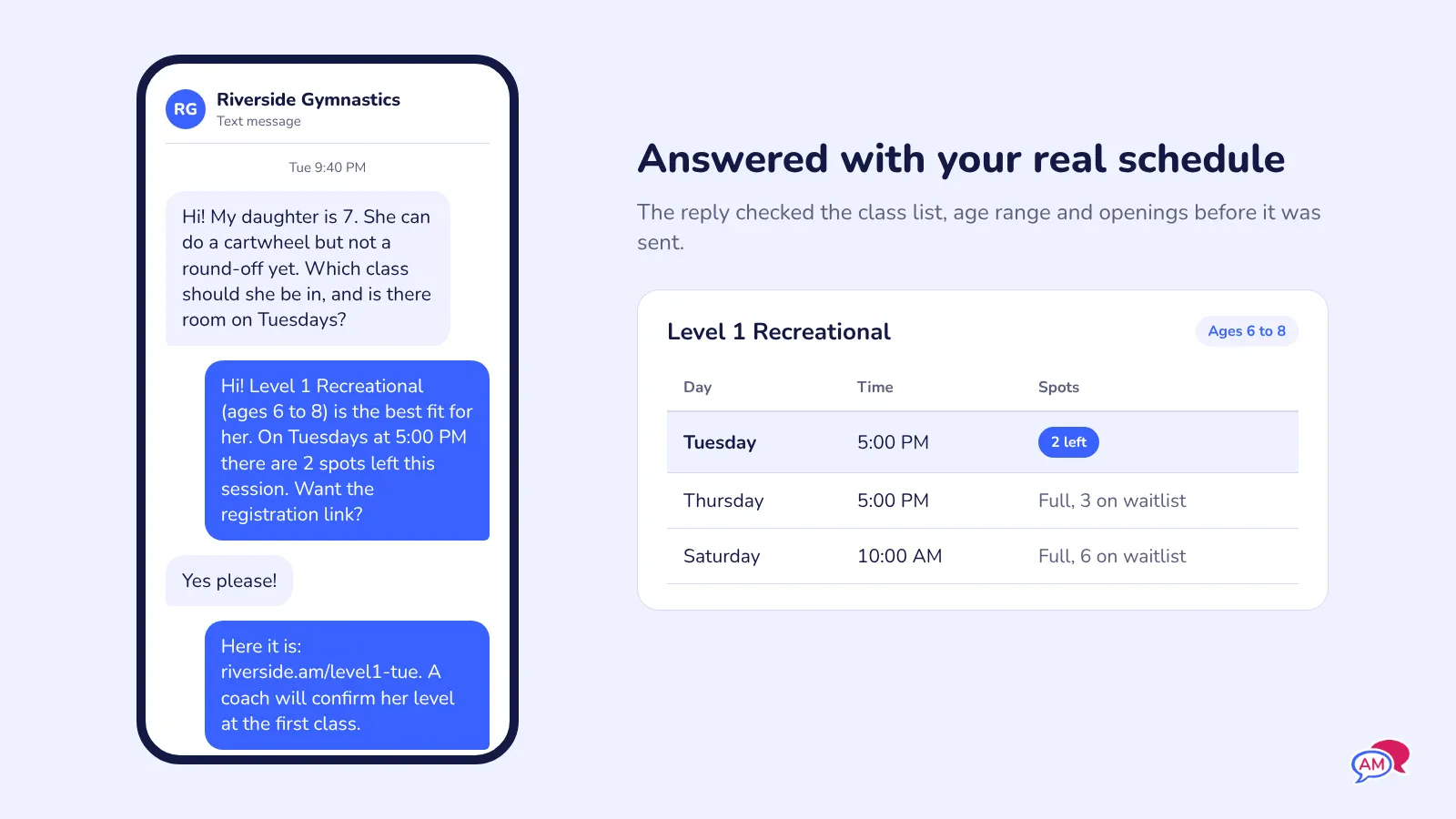
Take a parent who emails late at night after casually scrolling for gymnastics gyms. They might write, "She's 7, she has a cartwheel but no round-off, which class fits and is there room on Tuesdays?" To answer that well, you need to know the club's levels, age cutoffs, and Tuesday openings. AI-native gymnastics club software can do that because the AI works inside the system that already holds that information.
This guide explains what AI-native gymnastics club software means, how to spot it, and what to ask before you trust it with your families.
Key Takeaways
- AI-native gymnastics club software is built so AI can use your real club data (classes, levels, rosters, payments) to finish tasks your front desk does today.
- The quickest test is whether the AI can answer a parent's question using your actual schedule and openings, or only with general text.
- The biggest time savings for gymnastics clubs show up in parent questions, class placement, re-enrollment, and registration setup.
- Safety and progression decisions, like moving a gymnast up a level or clearing a medical form, should stay with your coaches and staff.
- You don't need AI-native software to run a good club. If your current system handles registration and communication well, AI is one more thing to weigh alongside price, support and migration effort.
Table of Contents
- What Is AI-Native Gymnastics Club Software?
- AI-Native vs AI Added On: How to Tell the Difference
- Where AI Helps a Gymnastics Club Day to Day
- What AI Shouldn't Decide at Your Gym
- Questions to Ask in a Demo
- Frequently Asked Questions
- Final Thoughts
What Is AI-Native Gymnastics Club Software?
AI-native gymnastics club software is registration and class management software that gives AI direct access to the information your club already runs on: classes, levels, age ranges, capacities, waitlists, family accounts, payments, and message history. With that data, the AI can help with the tasks that depend on it.
Your front desk knows that Tuesday's 5:00 PM Level 2 has one spot left, the Martins have two kids and get the sibling discount, and that Saturday preschool always fills first. Most of the day is spent answering questions and handling tasks that rely on that firsthand knowledge.
AI-native software is built so AI can work from that same knowledge without needing someone behind the desk. In practice, that looks like:
- 💬 Answering a parent's question about times, prices, or openings using your live schedule.
- 🤸 Suggesting the right class for a new gymnast based on age, experience, and the skills a parent describes.
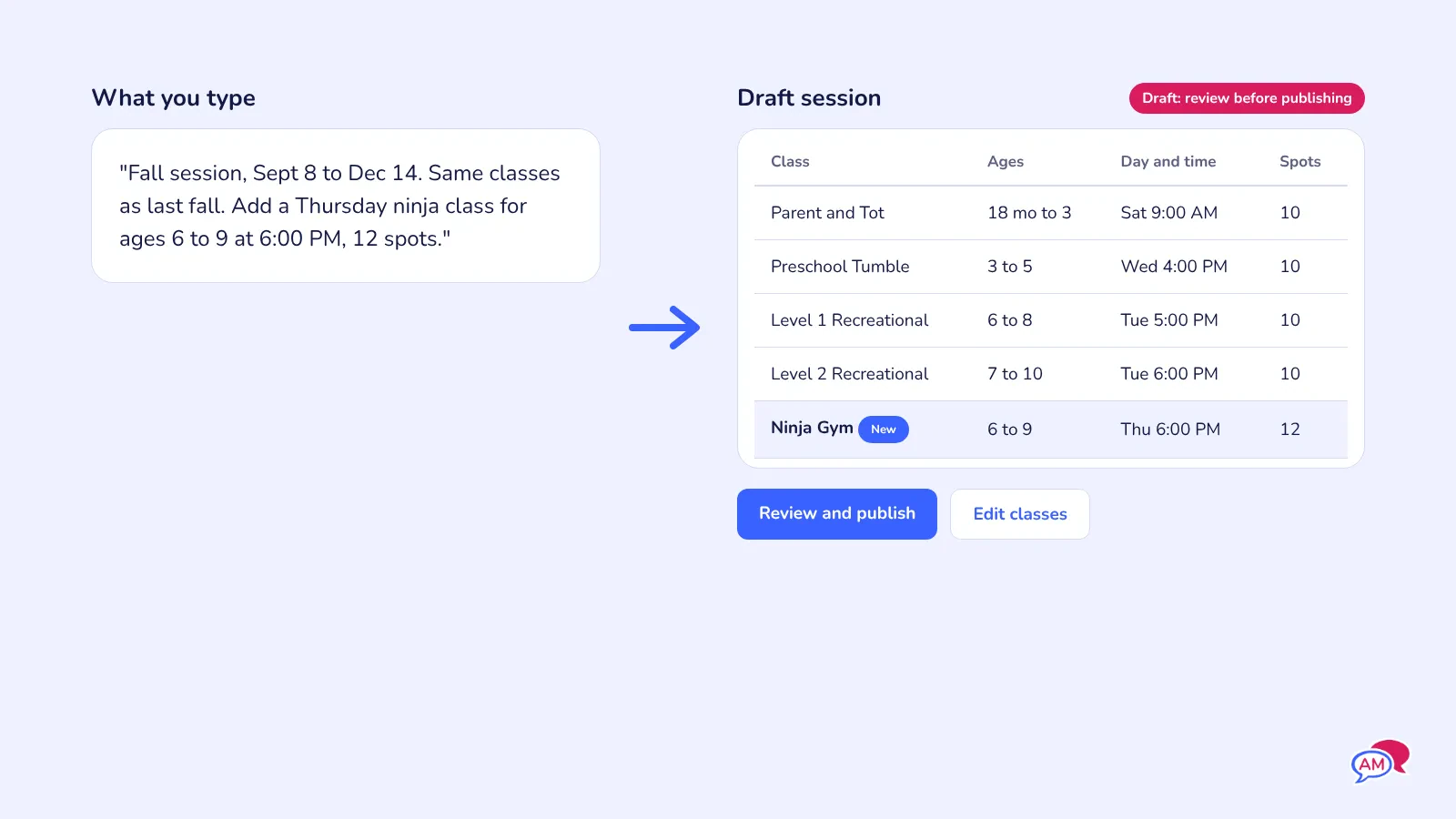
- 📝 Building a registration form or a new session from a plain description of what you want.
- 📧 Drafting the email to every family on the Thursday roster when a coach calls in sick.
- 🌐 Translating your forms and messages between English and French.
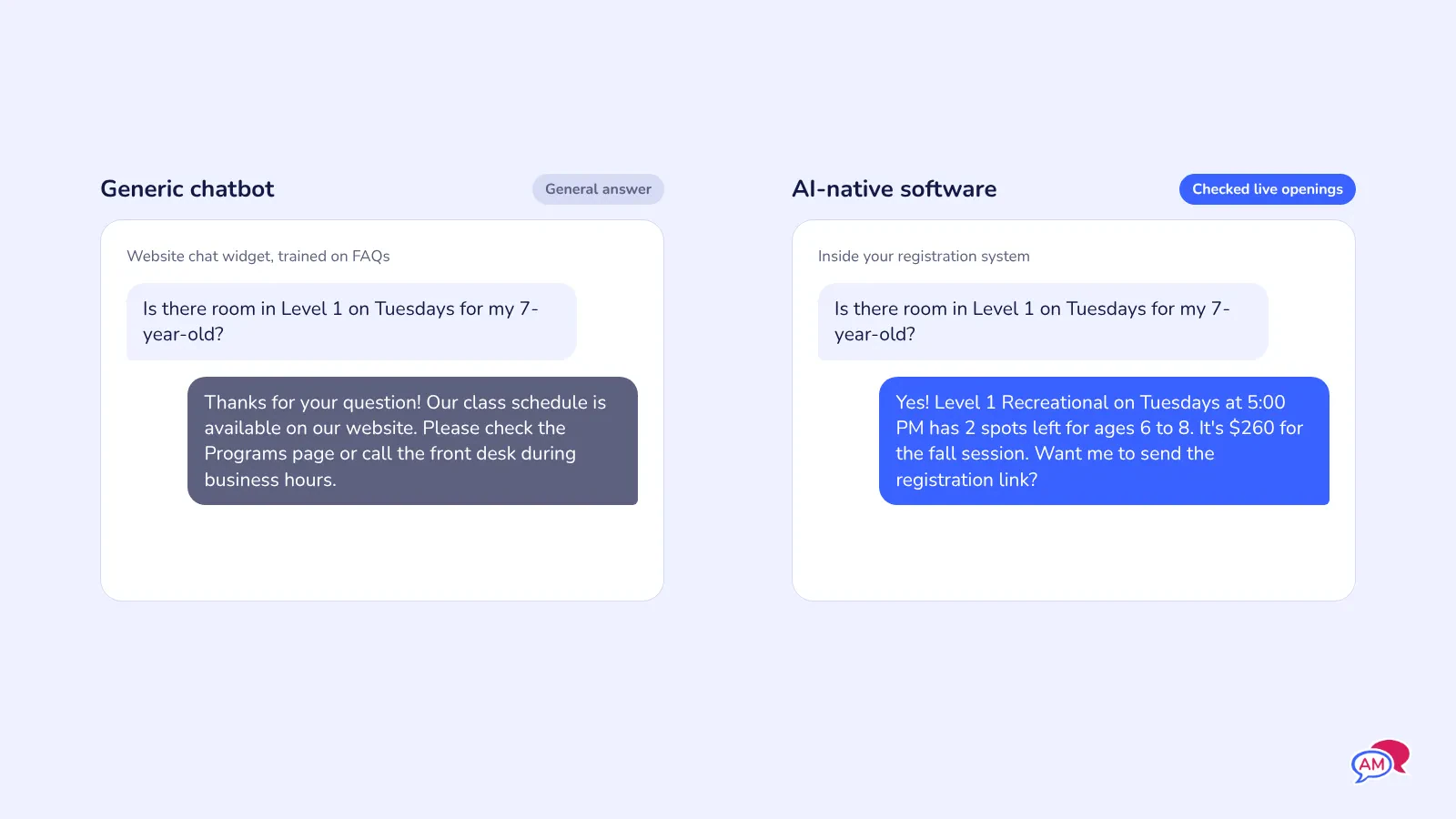
What a vendor's feature page often leaves out is this: an AI is only as helpful as the data it can actually access. If a chatbot can't see your class list, it'll tell a parent to "check the website" or, worse, make something up.
When the AI lives inside the system that already holds your schedule, it can give the same answer your front desk would.
AI-Native vs AI Added On: How to Tell the Difference
Most gymnastics club software was built long before today's AI tools existed. Many platforms are now bolting AI onto their existing software, often as a writing assistant for emails or a separate chatbot trained on FAQs.
Those tools can save a few minutes, but they usually only work with text you type in, so they cannot check your rosters, openings, or a family's balance.
Here is how the two approaches compare on everyday gymnastics club tasks:
| Task | AI added on | AI-native |
|---|---|---|
| Parent asks "is there room in Level 1 on Tuesdays?" | ⚠️ Gives a general answer or links to the schedule | ✅ Checks live capacity and the waitlist |
| New family needs a class recommendation | ❌ Can't see your levels or age cutoffs | ✅ Matches age and skills to your class list |
| Coach is sick, Thursday classes cancelled | ⚠️ Helps write the email; you pick the recipients | ✅ Drafts the message and pulls the affected rosters |
| Setting up the fall session | ❌ Manual setup, class by class | ✅ Builds classes or forms from a description you review |
| Families who haven't re-enrolled | ❌ You run the report and write the email | ✅ Finds them and drafts a reminder for you to send |
| French version of a registration form | ⚠️ Copy, paste and translate elsewhere | ✅ Translates inside the form builder |
The goal is fewer steps between a question and the correct answer. Count the clicks and copy-pastes a task takes in each system you're comparing.
Where AI Helps a Gymnastics Club Day to Day
AI is most useful in jobs that repeat every week and rely on information you already have. Those are the tasks gymnastics clubs know best:
💬 The same 20 parent questions
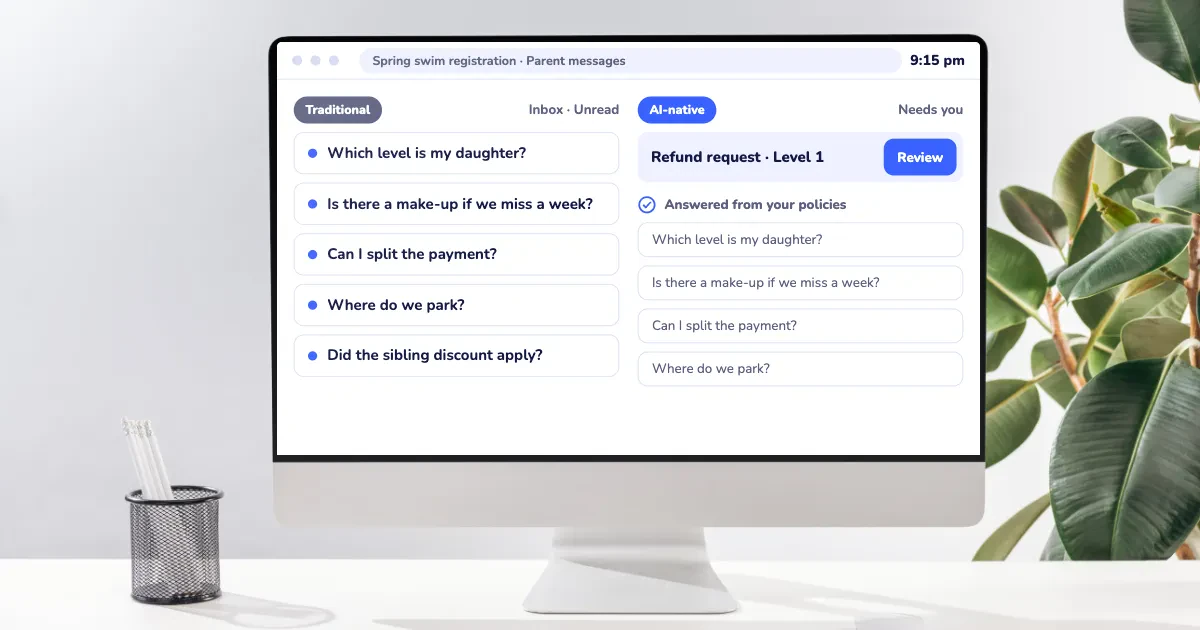
What time is Level 3? How much is the fall session? Is there a sibling discount? Can she make up a class this week? Your front desk answers these questions all day, and parents ask them again late at night when no one is there.
Plus, the costs add up. A parent who doesn't get an answer tonight may register somewhere else tomorrow because they couldn't reach the right person at the right time.
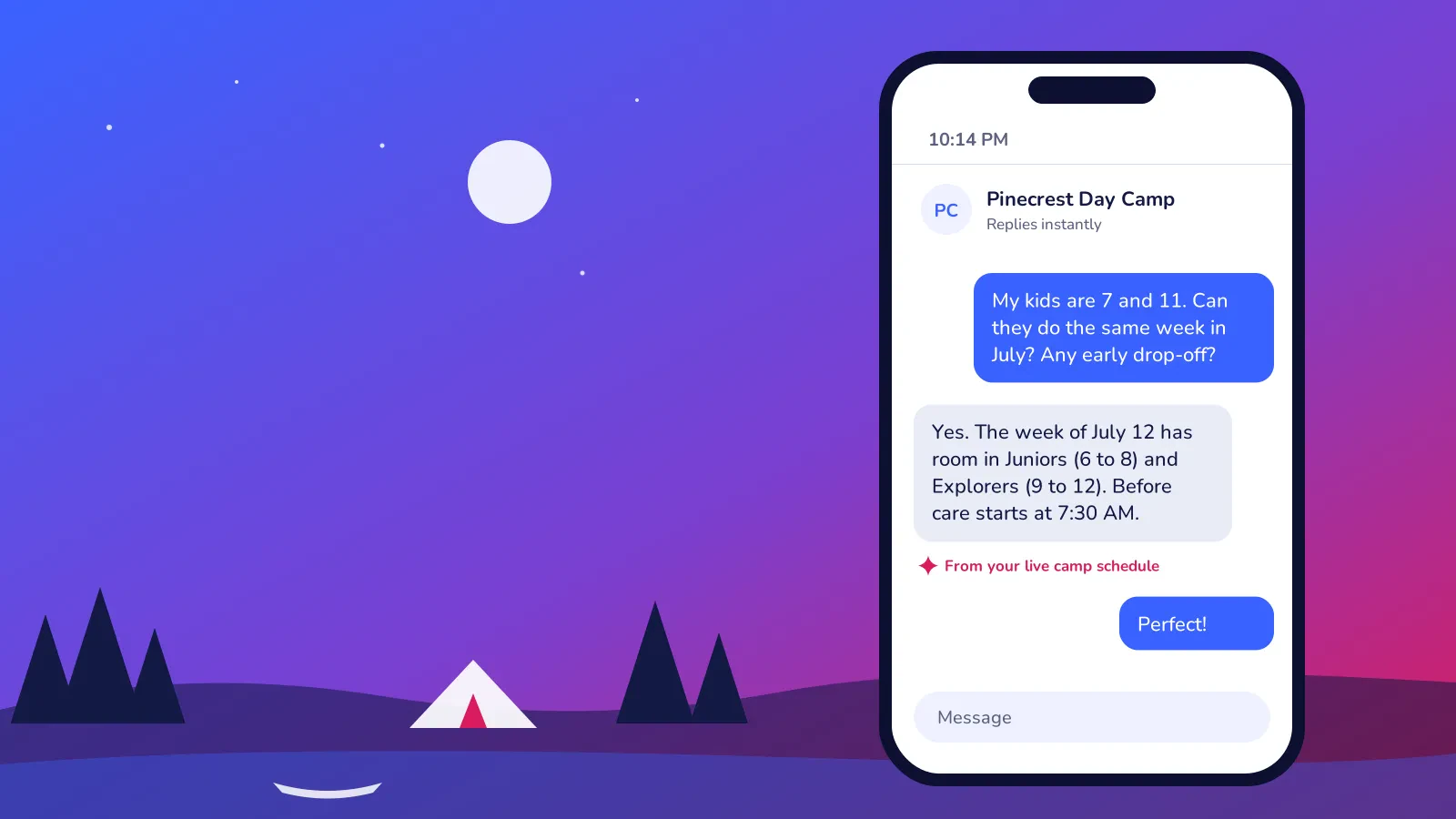
AI-native software can answer these from your live schedule and pricing, and pass anything unusual, like a billing dispute, an injury, or a complaint, to a person.
With Activity Messenger, AI is built into the platform alongside registration, payments, and SMS and email, so answers come from the same place your classes live.
🤸 Placing new gymnasts in the right class
Gymnastics placement is harder than picking a time slot. A seven-year-old with no experience and a seven-year-old with a solid back walkover belong in different classes, and parents usually do not know your level names.
When a child ends up in the wrong group, the coach spends the first two weeks sorting it out, and the family feels it too.
AI can ask a parent a few simple questions (like age, past classes, and skills such as cartwheel, round-off, or handstand) and suggest the best-fitting classes, with a note that a coach will confirm at the first class or during an evaluation.
📝 Setting up sessions and registration forms
Every new session means starting over: recreating classes, capacity limits, age ranges, prices, and forms. If a club runs 60 or more classes a week, that can mean hours of clicking before registration day.
AI-native software can draft the setup from a simple description: "Fall session, Sept. 8 to Dec. 14, same classes as last fall, add a Thursday ninja class for ages 6 to 9." You review it and adjust anything that is off.
Activity Messenger's AI helps you create forms and messages inside the platform, and its forms use conditional logic so a parent registering a preschooler does not see questions meant for competitive team families.
🔁 Re-enrolment and families slipping away
Families who don't come back rarely tell you why. They don't register for winter, and you are left wondering why enrollment is down.
AI can flag families who were enrolled last session but have not registered yet, or whose child's attendance has dropped, and draft a reminder for you to review and send by text or email.
With Activity Messenger, those messages go out by SMS and email from the same system that holds your registrations, so you do not have to export lists to another tool.
🎉 Birthday parties and camps
Party inquiries come in at all hours, and every one needs a date, a package, a deposit, and the child's details. Camp weeks bring their own wave of medical forms and "which week has room?" questions.
AI can help answer availability questions, draft confirmation and reminder messages, and create images for your party and camp promotions.
Read More: How to Increase Party Bookings for Your Activity Center
What AI Shouldn't Decide at Your Gym
Some decisions in a gymnastics club affect a child's safety, so your coaches and staff should make them. Good AI-native software can suggest and draft, but a person should still make the final call.
Keep these with your team:
- 📈 Moving a gymnast up a level. A coach who has seen the skill in person should make this call. AI can help you track who is due for an evaluation, but it cannot replace that one-on-one evaluation.
- 🩺 Medical forms and injury notes. AI can flag a missing form or a mention of a concussion. A staff member still needs to read it and decide what happens next.
- 🤸 Readiness for competitive team. Tryouts, team fees, and conversations with families need a person.
- 💳 Refunds, credits and billing disputes. AI can pull up the history. Someone with judgement should reply.
- 📨 Sensitive messages. An injury report, a coach change, or a behaviour concern should come from a real person at your club.
Here is the less obvious part: the more a tool does on its own, the more it matters that you can see what it did. Ask whether the software shows you every message the AI sent and every answer it gave a parent, and whether you can switch it off for specific topics.
The same goes for your families' data. Gymnastics clubs hold information about kids, including birthdates, medical notes, and photos. Ask where that data is hosted, whether it is used to train outside AI models, and who at the vendor can access it.
Questions to Ask in a Demo
The word "AI" on a feature page does not tell you much. A demo tells you far more, especially when you bring real scenarios from your gym.
Use these questions when comparing AI-native gymnastics club software:
- ☑️ Can it answer a real parent question live? Type in "My son is 6 and has never done gymnastics, what's available on Saturdays?" and see if the answer uses your actual classes and openings.
- ☑️ What can the AI see? Classes, rosters, waitlists, balances, message history? If it can't see it, it can't help.
- ☑️ What can it do without me? Sending a message, offering a waitlist spot, or changing a registration should need your approval unless you choose otherwise.
- ☑️ Where do I review what it did? You want a log of every answer and message, in plain language.
- ☑️ Does it work in French? For Canadian clubs, check both the parent-facing answers and the translated forms.
- ☑️ What does it cost? Ask whether AI features are included in your plan or billed per message, per student or as an add-on.
- ☑️ What happens to my data? Ask where it's hosted and whether it's used to train outside models.
Before you commit, put one real registration, one real parent question and one real cancellation message through the system. Ten minutes of testing will tell you more than any feature list.
If you're thinking about switching
AI features alone rarely justify a migration. If you are moving a club with hundreds of families, you still have to export data, rebuild your class structure, set up forms and waivers, and let parents know what is changing. Plan for a few weeks and do it between sessions, well before registration day.
If your current system already gives you trouble with parent communication, account-free registration, or pricing, AI-native software may just be one more item on an already long list.
Frequently Asked Questions
What is AI-native gymnastics club software?
AI-native gymnastics club software is class and registration software that uses AI with your club's real data, like classes, levels, rosters, and payments, to answer parents and help with admin tasks. The AI works inside the system, so its answers match your actual schedule.
Is AI-native software the same as having a chatbot on my website?
No. A website chatbot usually only knows the FAQs you enter into it. AI-native software can check live information like openings, waitlists, and a family's registrations before it answers.
Can AI place my gymnasts in the right level?
AI can suggest a starting class for a new gymnast based on age and the skills a parent describes. Your coaches should confirm placement and make every decision about moving a gymnast up a level.
Will AI replace my front desk staff?
For most clubs, no. It handles repeat questions and routine messages, giving your front desk more time for families in front of them, phone calls that need a person, and the busy hour before evening classes.
Is my family's data safe with AI gymnastics club software?
It depends on the vendor. Ask where the data is hosted, whether it trains outside AI models, and whether you can review everything the AI sends to parents.
Do small gymnastics clubs need AI-native software?
Not necessarily. A club with a few hundred families and one admin can run well on good registration and messaging tools. AI starts paying off when parent questions and session setup take up a real part of someone's week.
Does Activity Messenger include AI?
Yes. Activity Messenger includes built-in AI, including one-click French and English translation for forms and an AI image generator for emails, along with registration, payments, waivers, SMS, and email.
Final Thoughts
AI-native gymnastics club software is useful when the AI can see your classes, levels, and families and use that to give the answer your front desk would give. Test that with real questions from your gym before you believe any feature page.
Keep coaches in charge of placement, progression, and anything touching a child's safety. Let the software handle repeat questions, session setup, and reminders.
Activity Messenger is built for clubs that want registration, payments, waivers, texting, and AI in one place. If parent questions and session setup are eating your week, it is worth a look.
Whatever you choose, put a real parent question through the system before you commit.
🤸 Curious what AI-native gymnastics club software would look like with your own classes and levels? Book a free demo, and we'll walk through a parent question, class placement, and fall session setup using your schedule.